In this instruction,keycuttingmachine blog will show you guide on how to use Xhorse Dolphin Machine photo scan function to decode HU92 laserkey.
Run Xhorse app on your mobile phone
Enter “Vehicle Database” or “Cut by Bitting” option
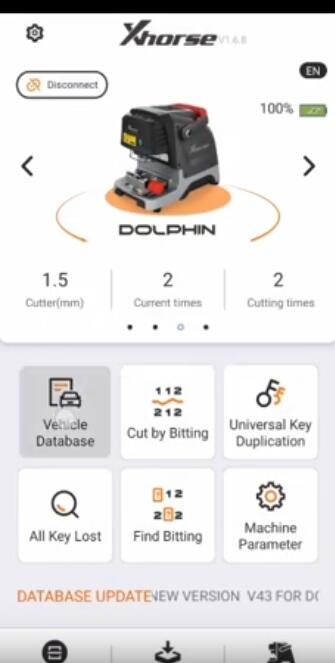
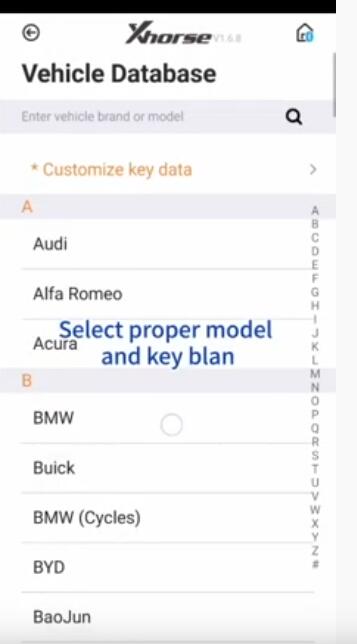
Select proper model and key blank
BMW–>330

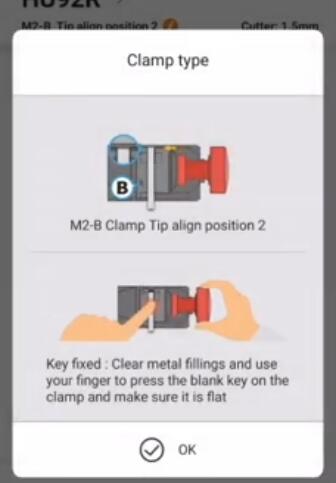
Press “OK” to cotinue
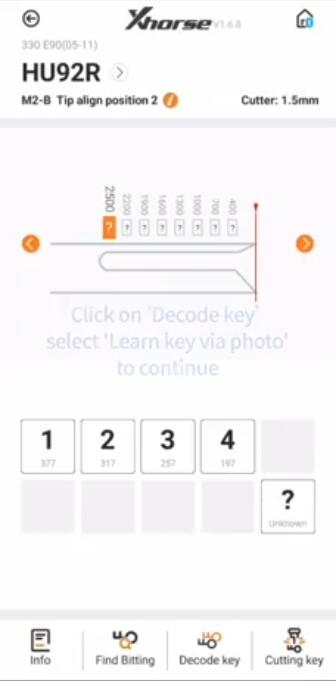
Click on “Decode key”
Select “Learn key via photo” to continue
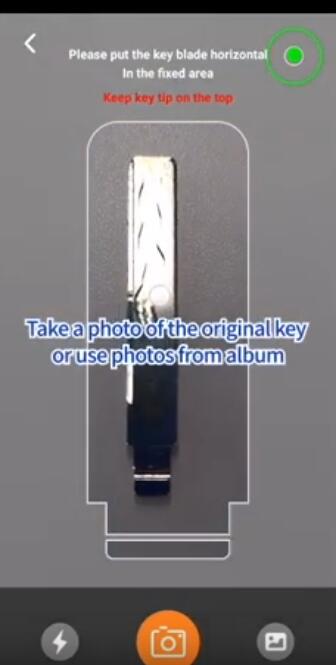
Take a photo of the original key or use photos from album
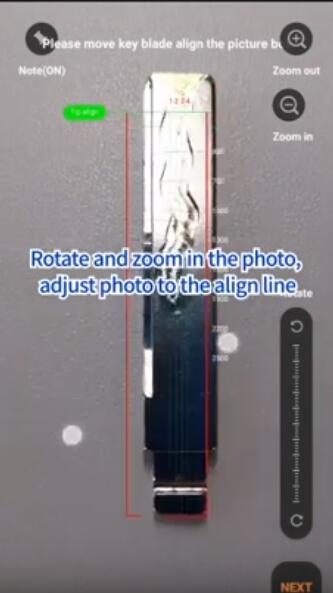
Please move key blade align the picture
Rotate and zoom in the photo,adjust photo the align line.
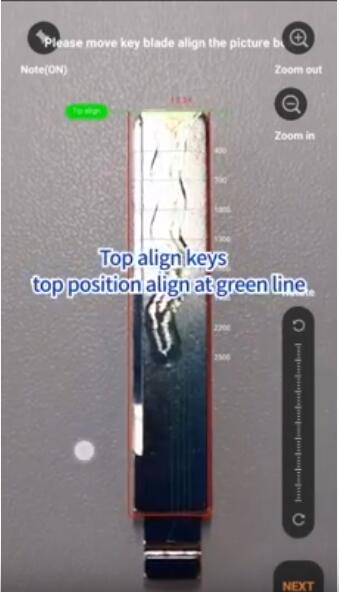
Top align keys,top position align at green line
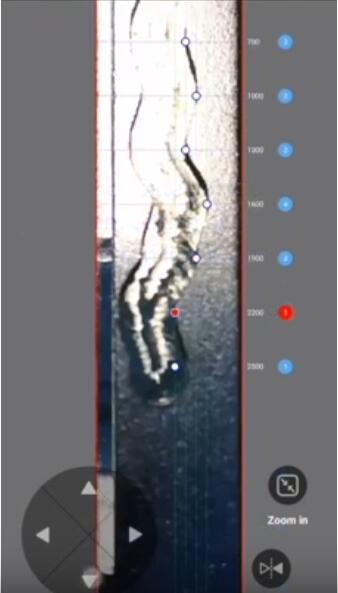
Move the white point to the current bitting overlap with green line position
Adjust each bitting position one by one
After the,click “Next” to decode key,it will show the key code on Xhorse app and ready for cutting.

http://www.uobdii.com/wholesale/xhorse-condor-dolphin-key-cutting-machine.html