How to copy G chip with Handy-Baby car key copy

Handy-baby car key copy has succeeded in tests of G chip copy, not only supports 4D/46/48 chips copy.Handy-Baby key programmer at uobd2 Continue Reading
Handy-baby car key copy has succeeded in tests of G chip copy, not only supports 4D/46/48 chips copy.Handy-Baby key programmer at uobd2 Continue Reading

Key pro M8 arrived several days ago, my main supplier uobdii.com dispatched out within 24 hours with tracking number after I paid and spent 3-days delivery. I get exactly what is stated on the site. Package, hardware and software: This… Continue Reading
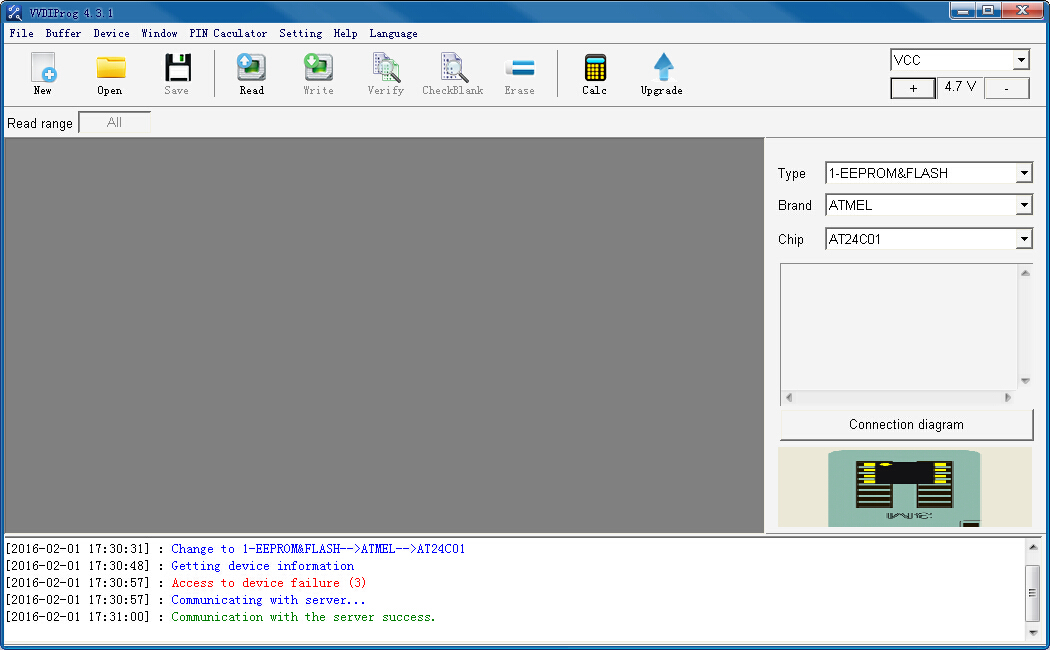
This is all new info of vvdi prog programmer 4.3.1, including free download link, new info, etc. free download vvdi pro 4.3.1. exe vvdi pro 4.3.1 full zip (include software, ecu wiring diagram, data, etc) new info of v4.3.1… Continue Reading
(6th January, 2016) X100 Pro C+D New updates for vag (including Audi, VW, Skoda and Seat) on obdstar Company Odometer Mileage Audi A3 2003-2006 2007- A4 RB4 2002-2005 RB8 2006-2007 A4L 2008-2012 2013- A5 2008-2012 2013- A6 1998-2004 A6L 2004-2008… Continue Reading
This is the instruction on how to unlock key pro m8 auto key programmer. Step-by-step instruction: 1. Give serial number and password to customer service; 2. Provide the customer service with the unlock ID and we will give you the… Continue Reading
Post starts with question that “VVDI MB BGA tool not read W211 with OBD2” then followed with reason and how to do correctly. Tool: VVDI MB BGA tool Question: I use VVDI MB BGA tool test read data with obd2… Continue Reading
Original VVDI PROG Programmer V4.3.0 is released on Jan. 19th, 2016. All tips of 4.3.0 vvdi prog here!! come to get it Free download vvdi pro 4.3.0 https://mega.nz/#!I18hnCxL!hHQCt3_tZCchhlbyCkxgEs1ogNVrWBSSLaKabAAoMvU How to update Xhorse VVDI-PROG super programmer: 1) Connect the device with the USB wire for the computer 2) Click on the following start online upgrade button to upgrade 3) Waiting for the upgrade to complete what’s new in vvdi prog v4.3.0 … Continue Reading

1.Please connect TPX cloner Module to Zed-bull using cable and give power both to Zed-bull and TPX Cloner Module. 2.Please put original key to zedbull antenna, select “Copy” and press “Enter” and “R” Button. 3. Caution! Put the original key… Continue Reading
Here is the user manual of Transit-Baby Remote Controls original or clone (called adapter-baby). -Any remote can be added -Just plug in OBD with Adapter Baby -without assistance, cost down.. -Support using 20 remotes at the same time, while codes… Continue Reading